So, the “Apolstolic Blurch Injector” was a console of buttons that could be pressed to briefly activate a channel in a recording console. This was used to great effect by Frank Zappa during the recording of “Were Only In It For The Money”, where there were three buttons (panned right, center, and left) that could be pressed to momentary activate a channel during playback and mixing.
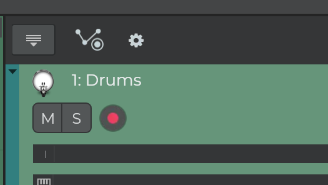
I want to recreate this effect. Near as I can tell, I need to map a midi key to an envelope, set it to toggle, and then record the action. Problem is, I can’t find the “Record automation” button anywhere in N-Track version 10 for Windows. I’m not even convinced this would work as I stated it, so if someone has a better way to briefly activate a track in the volume envelope, I’d like to know. I would like to hit record, and then randomly and repeatedly press a key on a keyboard or trigger finger and have that instantly take a track to full volume and then back to off.
Thanks!