I love the loop browser, I have all your loops. My question is how do I remove tracks from some of my songs from the Loop Browser library? When I open the library and search “All” the first several loops are .sgw saved tracks from some of my songs! I don’t want to delete those .sgw files, but I also don’t want them in my loop browser. ???
Hi Heimie,
To help me better understand the issue, could you tell me the file paths of the files you’re referring to? Which folder are they in?
Could they be installed in a folder (or subfolder) included in the “My Folders” section of the Loop Browser?
I simply press the “+” to add a new track (iPhone version) select “all” for type of loop and I see my .sgw files from my previous songs at the top of the loops list: I do see them in that “my folders file” how do I keep them from appearing without deleting them? I want the files, but I never intended them to be available for becoming a loop.
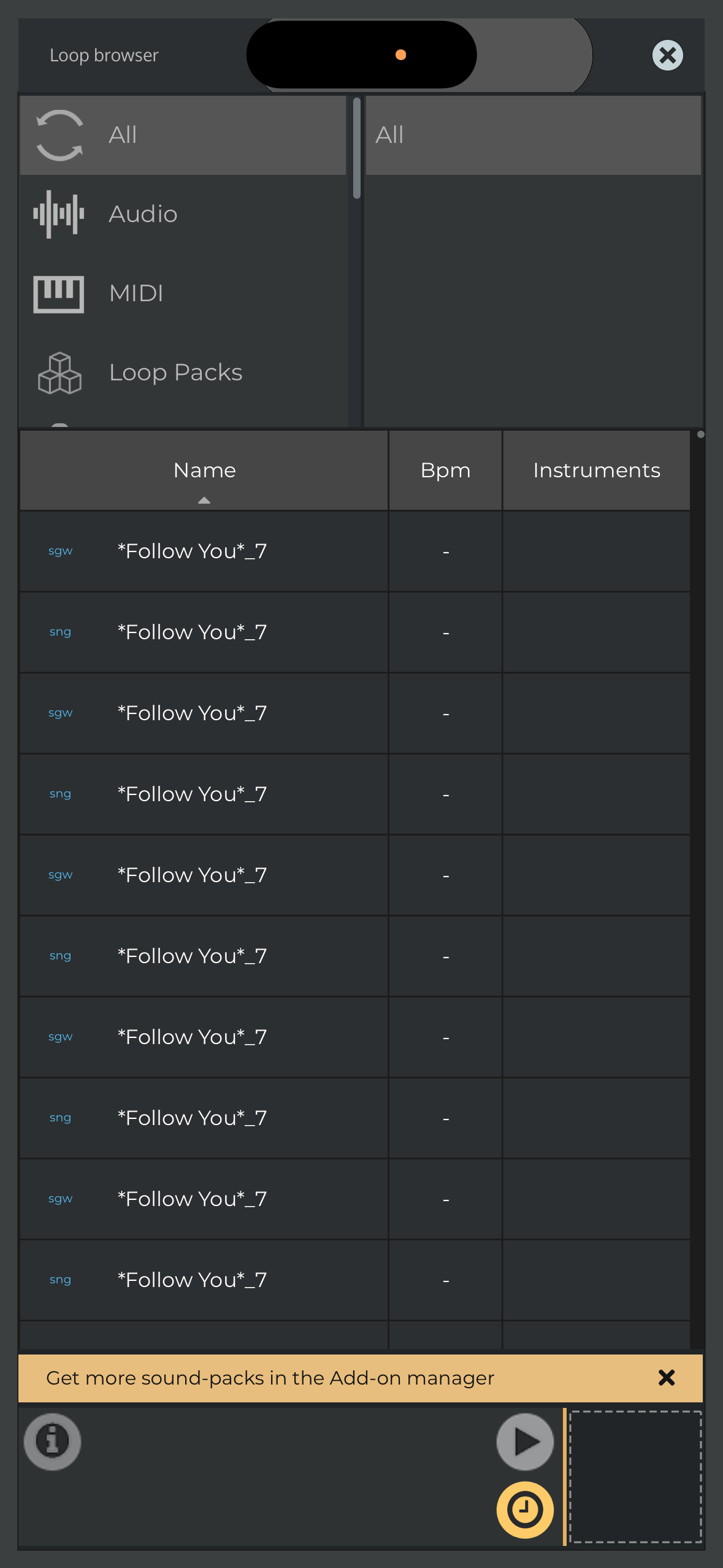
The Documents folder, where n-Track projects are stored, is automatically added to the list of folders that the Loop Browser searches for audio files and project files. So it’s expected that you see all your SNG and SGW files in the “All” list.
In one of the next builds, we’ll add a setting in the search filters menu that will allow you to enable or disable this behavior and exclude the folder from the search paths.
Andrea
1 Like