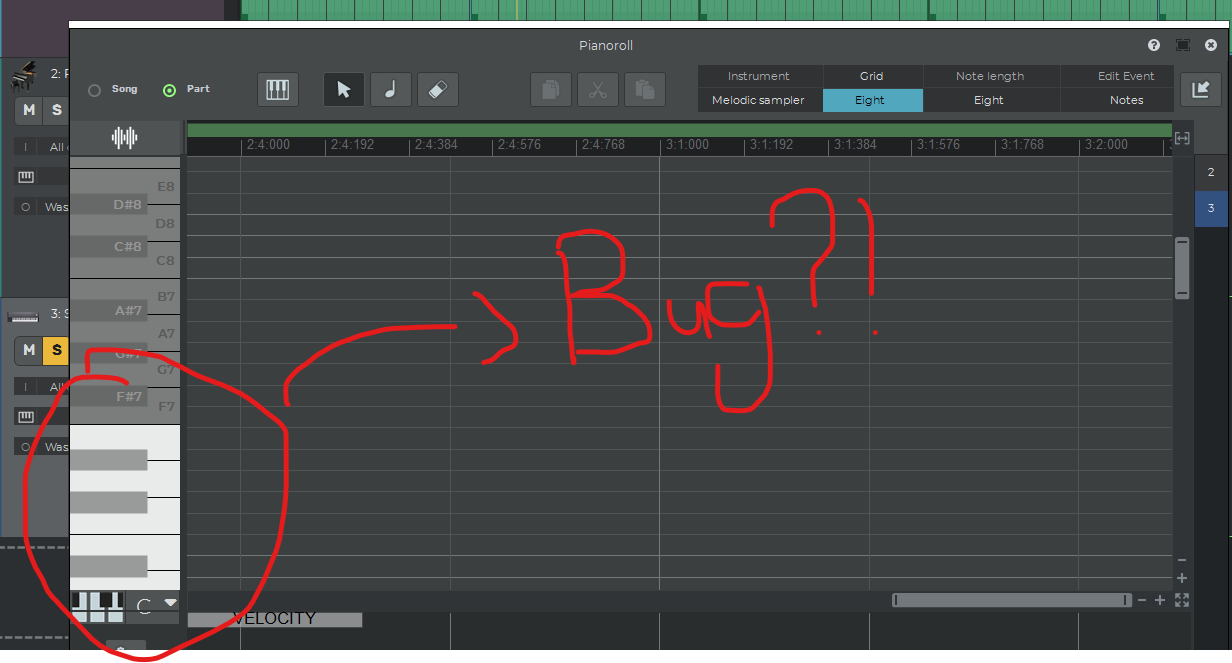
I’ve been trying to right-click in the piano roll and select “Note Renaming,” as well as change the “Show Piano & Note Names” setting, but it doesn’t seem to be working. This makes it very difficult to identify which note is which.
I’m using the Steinway Grand Piano, and it looks normal with that, but after I switch to a pluck sample, it doesn’t work at all.
the pianoroll currently doesn’t print the ‘pitch name’ if the instrument reports a specific name, which is printed only on the 1st note of a sequence of notes with the same name. If you scroll down on the screenshot you’ve sent you should be able to see the note name for the start of the white sequence. I agree that it would be better if the pitch name was always printed if you select the option to draw the piano+note names. The next update due out within next week will have this.