Hi
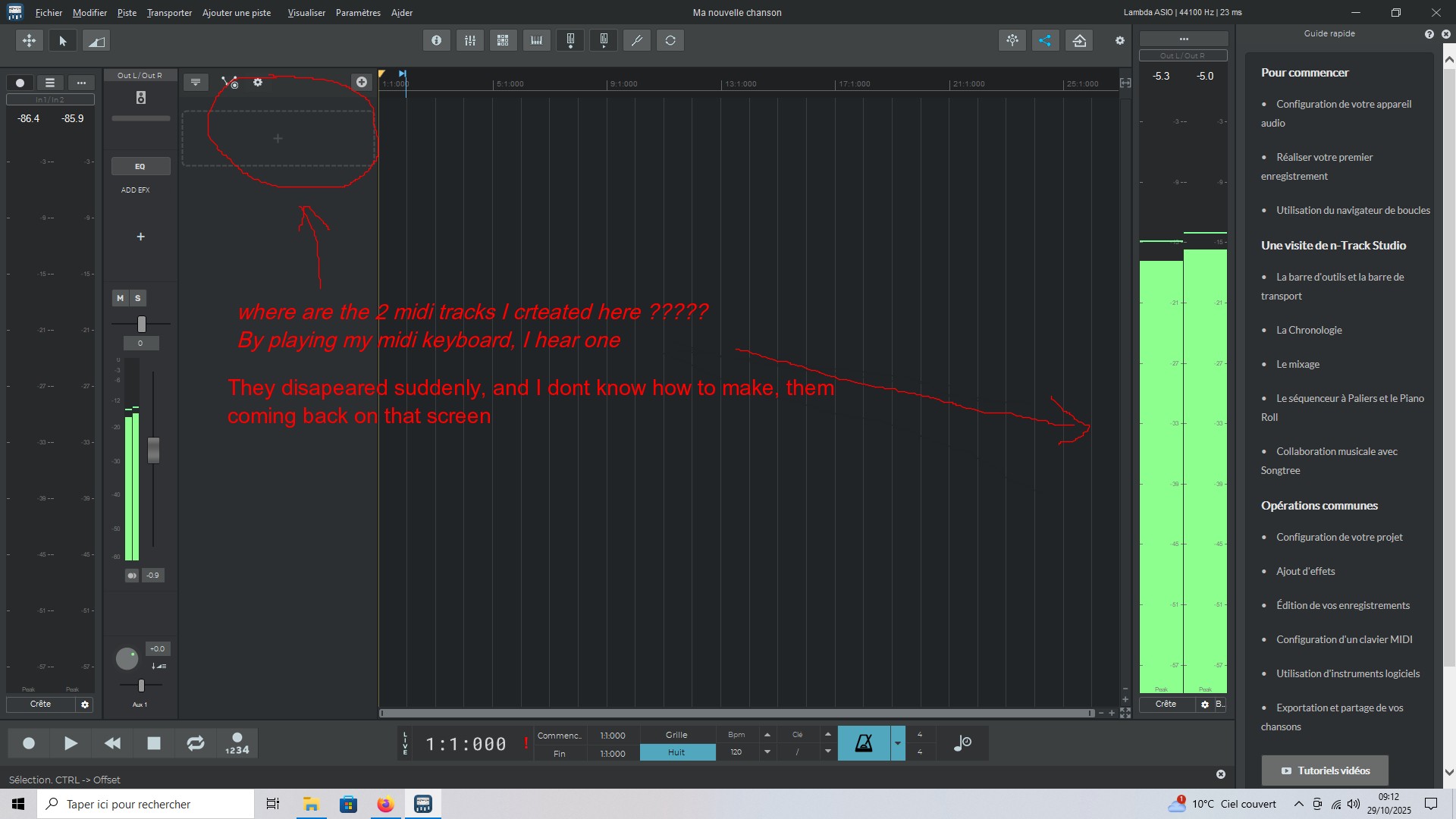
I created two MIDI tracks on the main screen and assigned a VST instrument to the first one.
Suddenly, these two tracks disappeared from the screen. I’ve searched but I don’t know where they are.
However, when I play on my keyboard, I can hear the VST instrument playing, and you can see the VU meters moving in the screenshot, but I don’t know where the sound is coming from since the tracks have disappeared. I even closed and reopened nTrack, and the situation is the same.
If someone could tell me where these tracks have gone, why, and how I can get them back on my main display, I would be very grateful, because wasting all this time searching for them is really tiring. Thank you very much.
Try opening the mixer with the mixer icon in the upper toolbar. This will show all the channels. It could be that you added the VST instrument as a Instrument channel as opposed to an instrument track. You can see all the tracks and instrument channels in the mixer.
Also you can use the Edit → Undo command to go back to the previous state of the song.
You may have set the main timeline view to not show tracks. Tap on the downward arrow on the upper left (right outside of the circle you’ve drawn on the screenshot you’ve attached) to select which kind of channels are shown. Make sure that “Show audio tracks” and “Show MIDI tracks” are checked.
Flavio.
Thank you for your response