Hello, I’m having a challenge where I’m not receiving any audio from the the Ntrack DAW on my windows 10 PC, I’m currently running on version 10.2.3 and the master channel isn’t producing any sound through the speakers even though the volume levels on the meters are showing that something is playing. Every other app is still producing sound except Ntrack. Any info that can help will be appreciated.
Hi Gru,
make sure that the correct playback audio device is selected in the Settings → Audio devices box. When you say that the meters are showing signal, do you mean the meters for the master channel or for the tracks? If the meters on the master channel are not showing signal, try removing or bypassing effects on the master and check the channel EQ to see if an effect may be silencing the output.
Flavio.
Thx for the reply, first of all, yes I meant the master’s meters,I don’t think it’s necessary a routing issue amongst tracks, secondly, changing the Audio playback devices gave me some new results, I tried all four audio playback devices and only one produced sound which is waveRT: SOUND MAX HD Audio O however it’s producing highly distorted sound, the rest of the options are not producing sound.
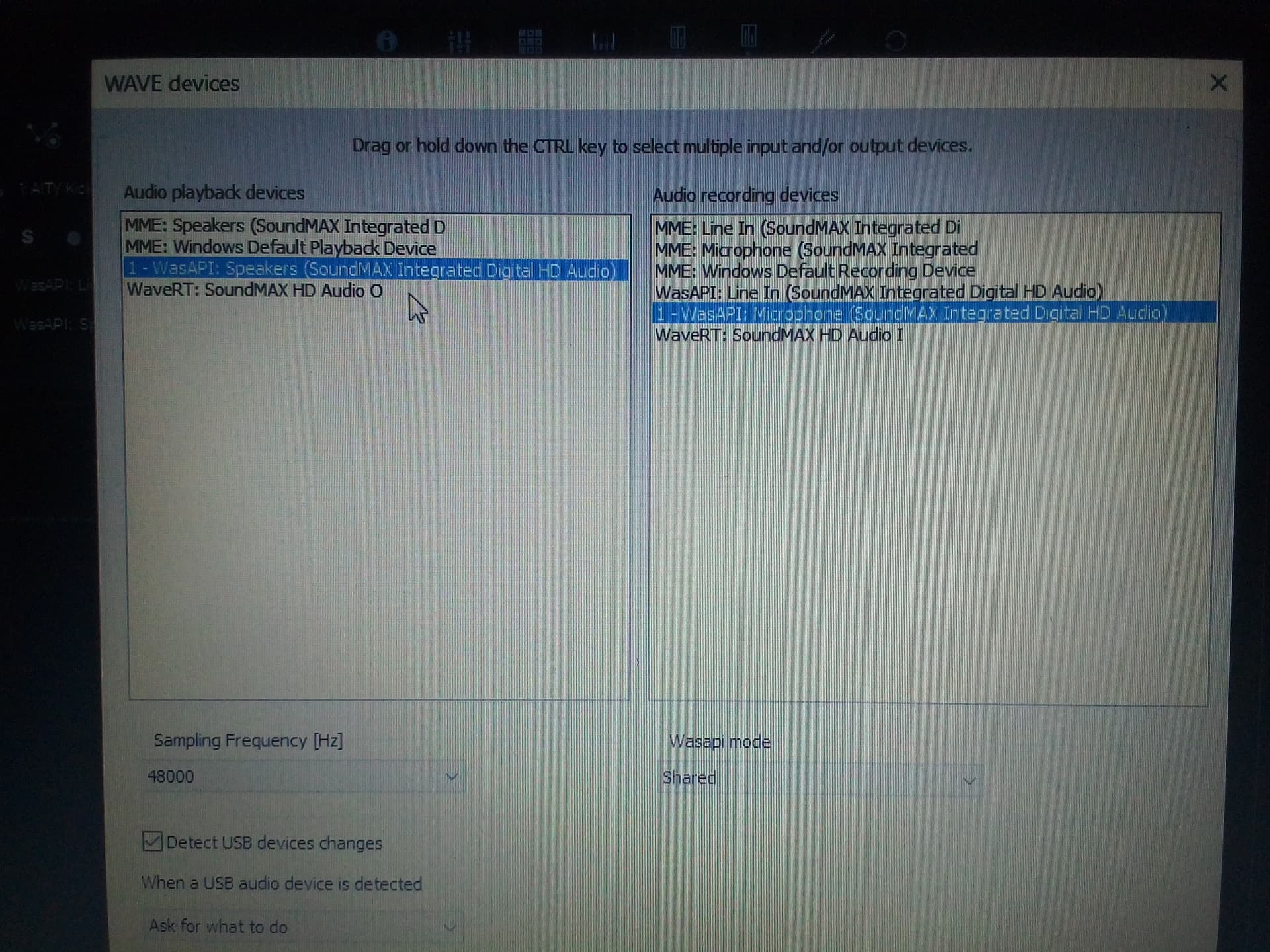
Oh and I don’t remember seeing waveRT: soundMAX as an option for audio playback devices back in the days, it’s a new thing I’m seeing.
The Wasapi speakers output should work, or the MME speakers one. To rule out any setting with the current song, try starting a new test song, import a single audio file and check if it plays.
Also check the Windows sound settings/mixer, it may have per-app levels, and you may have accidentally lowered or muted the output level for n-Track.
Flavio.