I am using n-Track Studio Expanded (x86) version 10.3.1.
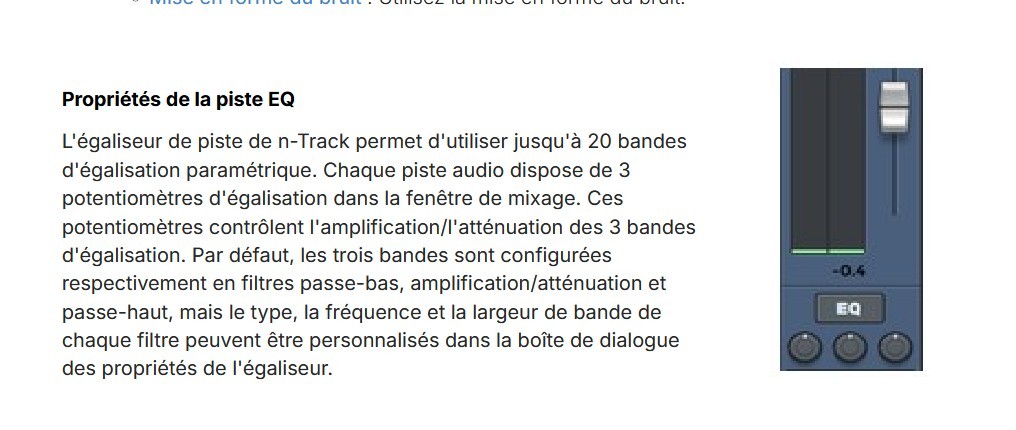
Is it possible to replace the EQ that appear as sonograms or other types of spectral displays—(which are very nice to look at), but which I don’t know how to use and don’t understand at all—with standard 3-band EQs (featuring simple knobs for lows, mids, and highs) on all tracks that use an EQ? (Is such a feature even included in n-Track?) Sorry to be so cheap. (Note that for mastering, I do use a 7-band parametric equalizer!). Is this something I can do in my (x86) n-track version ? I saw an image in your manual showing a track with a 3-band EQ (I’ll send you a screenshot); that is exactly what I need, but I haven’t been able to find it in my own n-Track installation. How can I access this? And apply them to all tracks—audio and MIDI—except the Master? Thank you
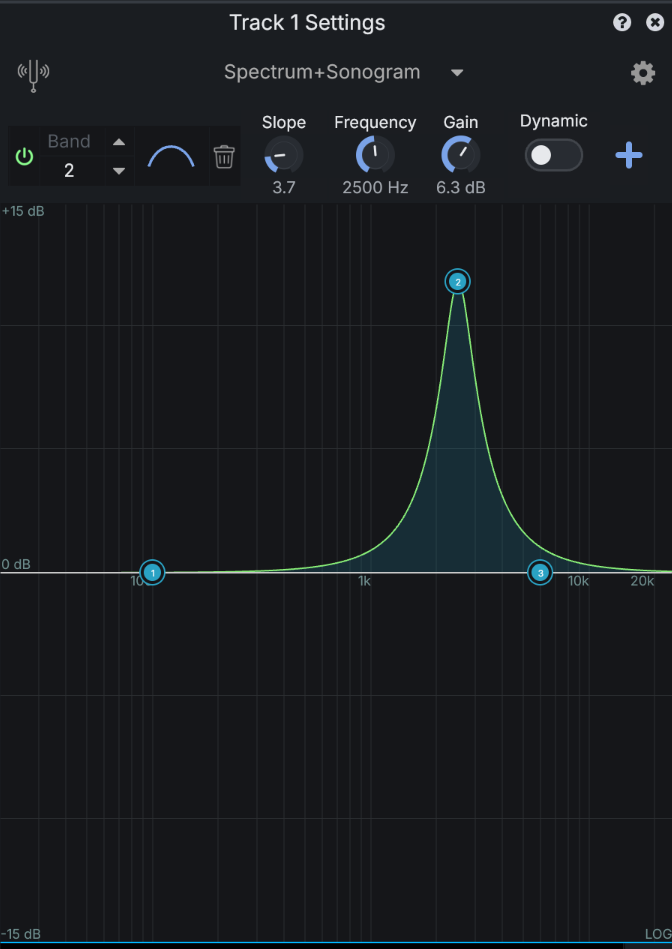
the screenshot in the manual is outdated. The eq in the mixer is currently just a button. The three knobs simply controlled the 3 default bands that appear on any track in the eq box. If you don’t add or move bands horizontally, you will continue to have the 3 bands. You can just use the band Gain knob at the top of the eq box to reduce or boost the selected band, and use the up/down arrows next to ‘Band’ to move between bands.
Version 11 will replace the static EQ button on the mixer with a button showing the actual frequency response of the EQ as configured on the channel.
Hello. I have installed n-Track on two computers. On the first one, I have the three blue circles, but on the second one, I don’t know why, I cannot get them to appear. I am therefore going to try installing a Vst EQ. Thank you.